

Standard Operating Procedures (SOP)
Welcome to the CMA SoundLab.
Please follow these procedures strictly to protect the equipment and ensure safety.
Safety First
⚠️ NOTE
1. Power ON Sequence
- Turn ON outboard gear & mixer FIRST. - Turn ON Speakers LAST!
(Note: Genelec 8030C auto-powers ON when the power cable is plugged in)
2. Power OFF Sequence
- Turn OFF Speakers FIRST! Then mixer & gear.
3. +48V Phantom Power
- NEVER switch +48V ON before the microphone is connected to the XLR cable.
- Turn +48V OFF before disconnecting the XLR cable.
Power ON Sequence
1️⃣ Step 1: Outboard Gear
Computer & Interface:
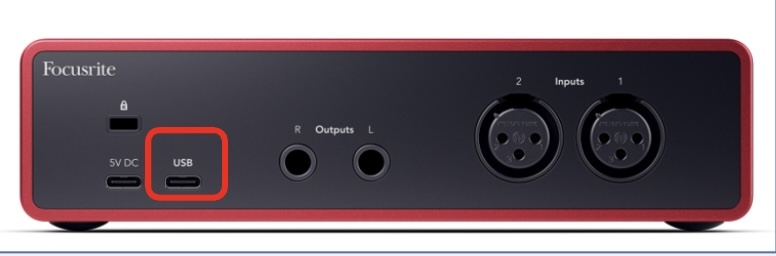
- Power ON computer if needed and connect to the Audio Interface (Focusrite 2i2) via USB-C port.
Routing:
Make sure the Audio Interface's output is connected to the Input of the mixer (Midas M32R Live).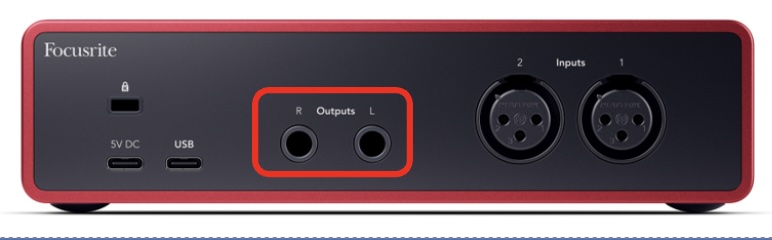
Instruments:
Connect instruments to the mixer's inputs if needed.
The Default Channel List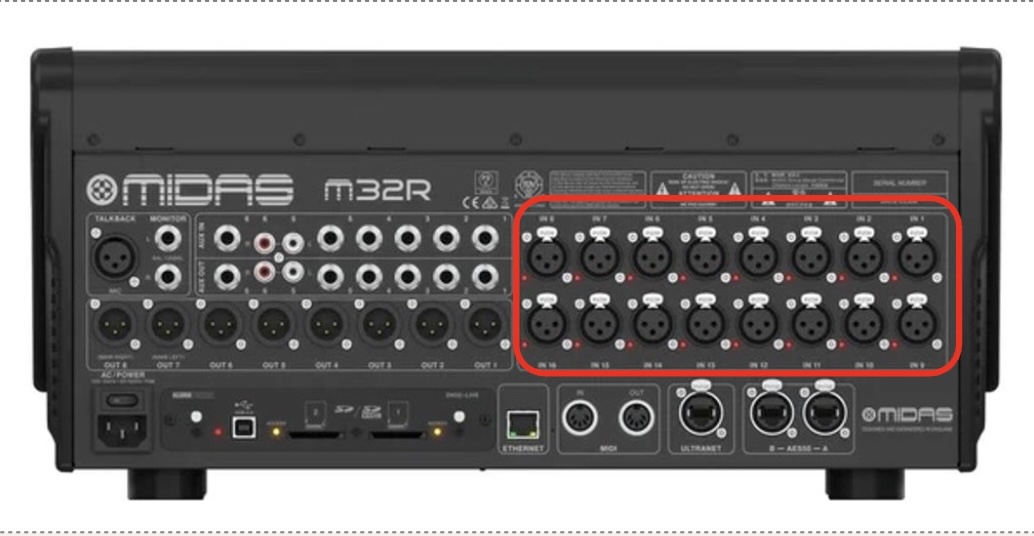
2️⃣ Step 2: Midas M32R Live Mixer
M32R Mixer:
Locate the switch on the rear panel (left side of the mixer) and flip it to ON.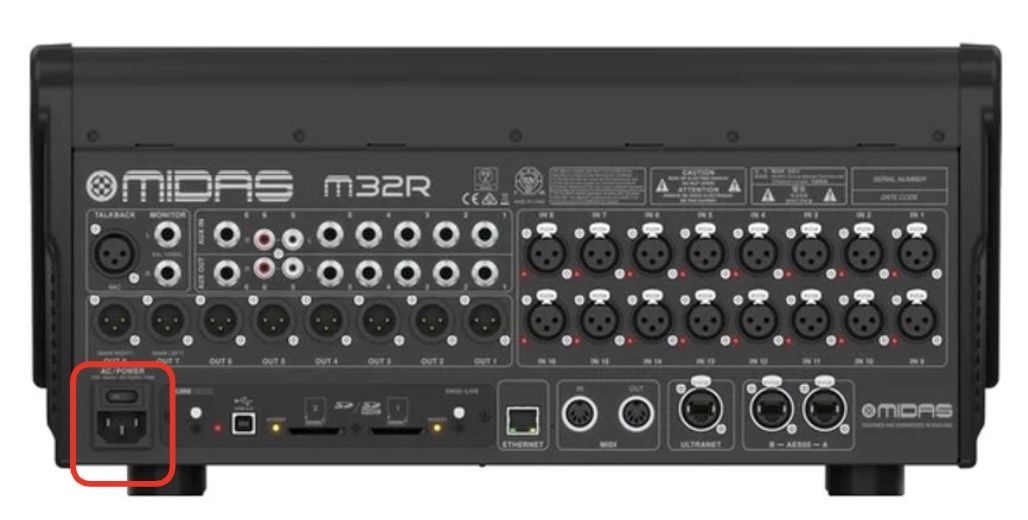
Wait for the system to boot up completely.
IMPORTANT
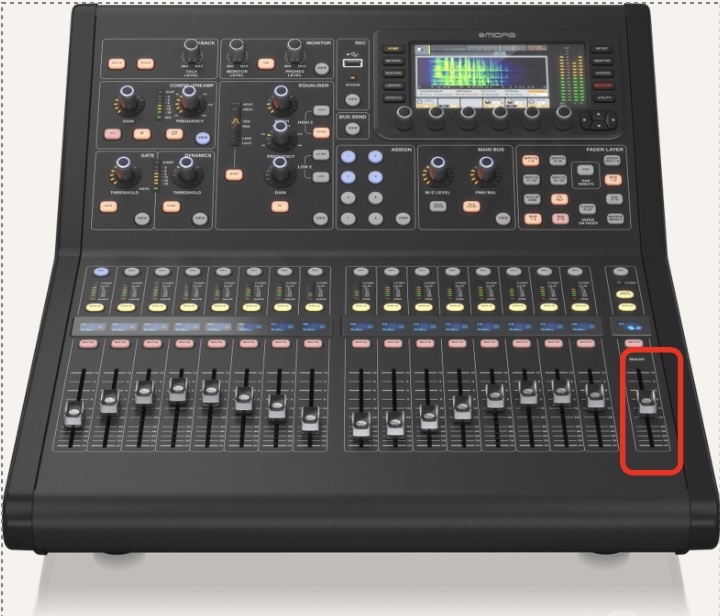
Keep the Main Channel (Right side fader) MUTED until the monitors have been turned ON.

Turn on the +48V on the selected channel where you connect to microphone that requires phantom power.
IMPORTANT
Keep the Main Channel (Right side fader) MUTED until the phantom power have been turned ON.
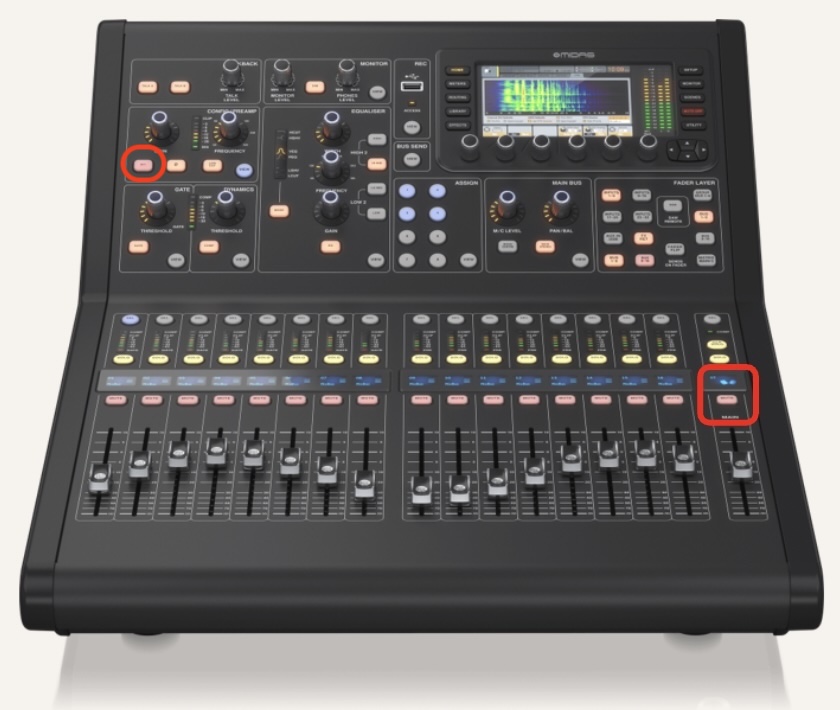
3️⃣ Step 3: Turn On Monitors (LAST STEP!)
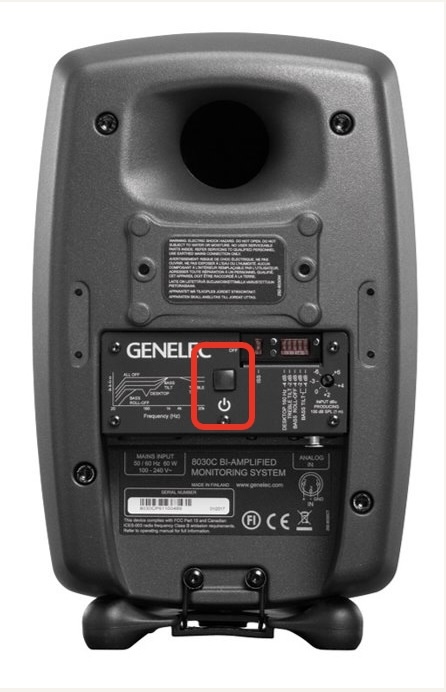
Desktop Monitors (Genelec 8030C):
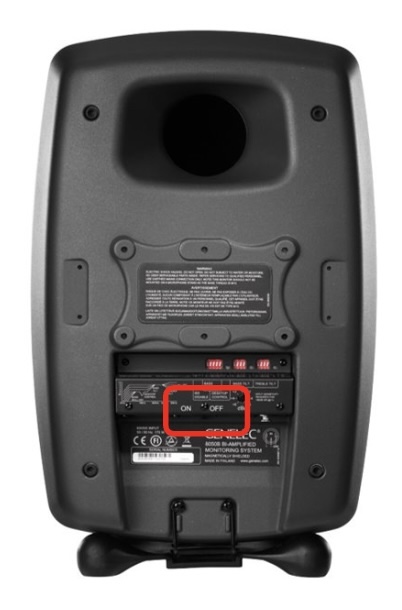
- Switch ON the power button on the back of the 8030C on the desktop.
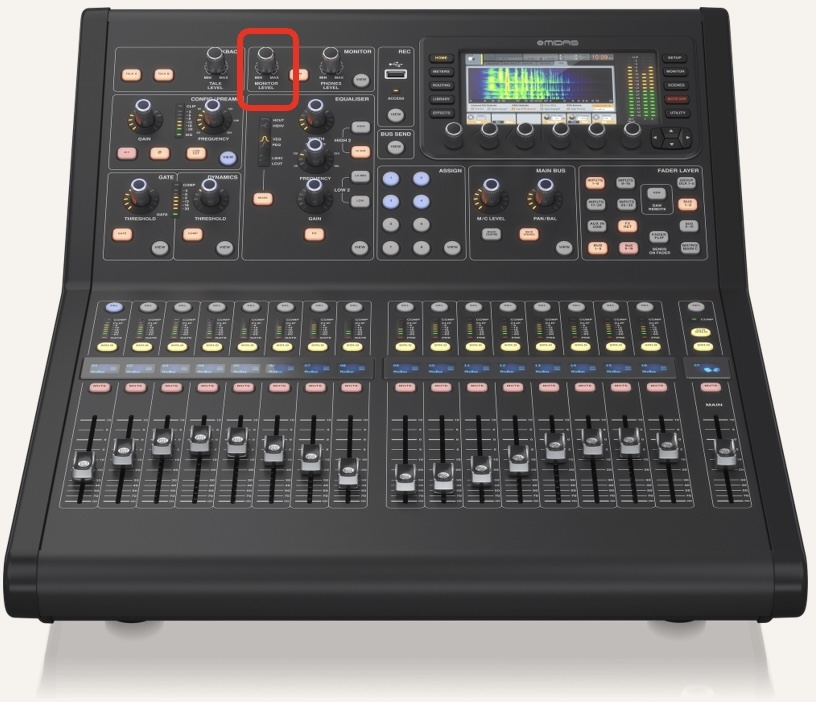
- The volume of 8030C is controlled by the Monitor Level knob on the mixer.
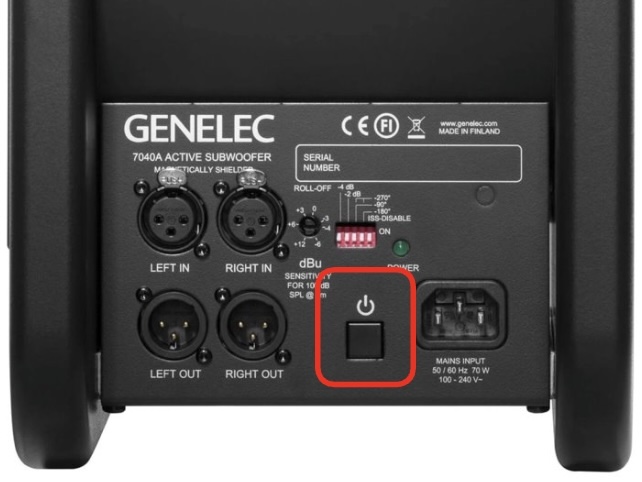
Floor/Main Monitors (Genelec 7040A & 8050B):
- Switch ON the power of the Subwoofer (7040A) FIRST THEN the Main Speakers (8050B).
- The volume of Main monitors is controlled by the Main Output fader on the mixer.
🎉 Enjoy The Session!
Power OFF Sequence
Step 1: Turn OFF Monitors (FIRST STEP!)
Mixer Settings:
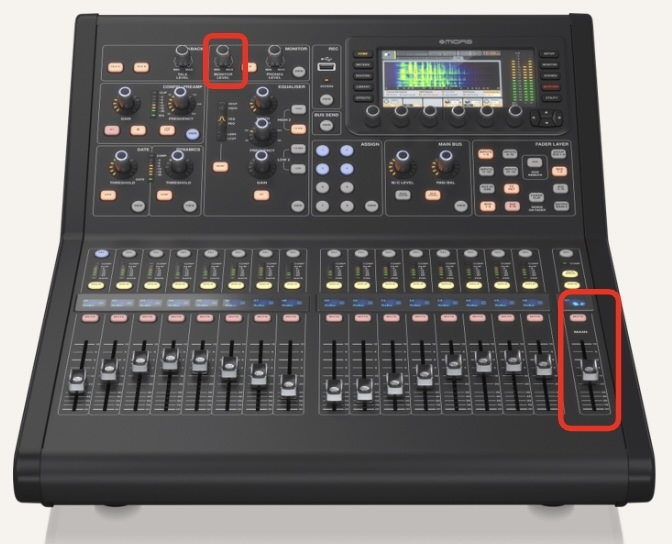
- Move the Main Channel Fader to the bottom ( -∞ ).
- Press MUTE on the Main Channel.
- Turn down the Monitor Level knob.
Power Down Speakers:
- Switch OFF ALL speakers (8030C, 8050B FIRST THEN 7040A).
- Check that the speakers' power lights are OFF.
Turn OFF the Mixer
- Turn OFF any +48 V phantom power before unplug any microphones.
- Switch OFF the M32R from the rear panel.
Step 2: Wrap Up & Cleanup

- Microphones: Put all microphones back into their original packages/boxes.
- Cables: Wrap all used cables properly and return them to the box.
- Stands: Reset mic stands and place them in the storage area.
- Desk: Cleanup the desk area.
Useful Links
- How to Wrap Audio Cables (Over-Under Technique)